

Squarespace vs Showit: Which Platform Is Better for Service Providers in 2026
If you've been researching website platforms for your service business, there's a good chance you've stumbled across a comparison between Squarespace and Showit — and there's an equally good chance that comparison was written by someone who sells Showit templates and has a referral link waiting for you at the bottom.
I want to be upfront: I sell Squarespace templates. That's my bias, and you should factor it in. But I've also spent enough time looking closely at Showit to give you a real picture of both platforms — including the parts of Showit that are genuinely great, and the parts of Squarespace that other comparisons consistently get wrong.
Because here's the thing: most Squarespace vs Showit articles floating around right now are riddled with outdated or just plain inaccurate information. And when someone is about to invest time, money, and energy into a website platform, they deserve better than a comparison written by someone with a financial incentive to steer them in one direction.
So that's what this post is. Not a hit piece on Showit, and not a Squarespace love letter. Just an honest look at both platforms — what they actually are, how they actually work, and who each one is actually right for.

Heads up: this post may contain affiliate links. In other words, if you make a purchase using my link, you won’t pay a dime more but I’ll earn a small commission. My chips and salsa fund thanks you from the bottom of its heart… er stomach?
Table of Contents
What Is Showit?

Showit is a drag-and-drop website builder, but calling it that undersells how different it is from most other builders. It's closer in spirit to a design application like Figma or an Adobe program than it is to something like Squarespace or Wix. You're working on a visual canvas, placing elements wherever you want them, with no grid or structure constraining your layout.
That total design freedom is Showit's main selling point. You can build something that looks truly unique. And that's precisely why creative business owners like photographers and visual creatives love it.
But… here's something that doesn't always get explained clearly though: a Showit website is actually two separate things running side by side. Your main website — your homepage, about page, services page — runs on Showit's platform. Your blog, if you have one, runs on WordPress. These are stitched together to look like one site, but they're powered by completely different systems underneath.
In other words, you'll be managing your website from two different places. If you want to add more pages or edit an existing page, you'll use your Showit backend. But if you want to write a blog, you'll have a separate login for that. While not earth-shatteringly difficult, it can get annoying rather fast.
What Is Squarespace?
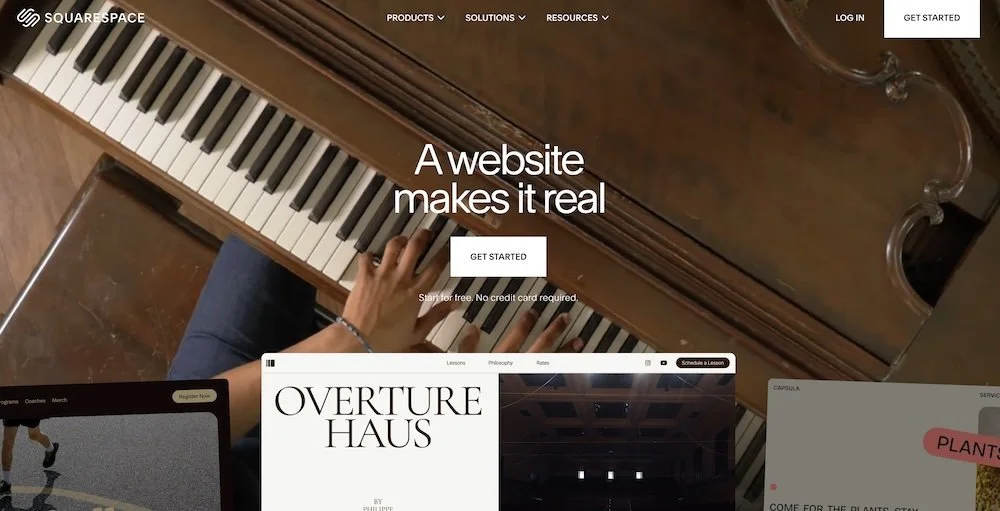
I'll keep this brief since you're probably already somewhat familiar. Squarespace is an all-in-one hosted website platform — meaning your website, hosting, security updates, and core features all live under one roof. No plugins to install, no hosting company to manage separately.
The editor is grid-based, which means when you move elements around the page, they snap into a layout structure. Squarespace's current editor, called Fluid Engine (introduced in 7.1), gives you significantly more design flexibility than older versions — which is relevant, because most comparisons you'll read online are still describing the 7.0 experience.
Design Freedom: The Gap Is Smaller Than You've Been Told
This is probably the biggest point of confusion in every Squarespace vs Showit comparison, so let's spend some time here.
The Showit pitch is essentially: total creative freedom vs. a cookie-cutter template builder. And historically, that wasn't entirely wrong. Earlier versions of Squarespace gave you a reasonable amount of flexibility within tight constraints, and mobile design was handled automatically — meaning Squarespace would take your desktop layout and adapt it to mobile, and you didn't have much say in how that looked.
That's no longer true.
Squarespace 7.1's Fluid Engine editor gives you independent mobile editing. You can adjust your mobile layout separately from your desktop layout, move sections around, resize elements, and control how things are presented on smaller screens. And as of 2025, you can see the layers on your Squarespace page to see how elements are placed as well as hide layers for mobile layout.
It's not identical to Showit's level of control, but the "Squarespace can't do independent mobile design" claim is simply outdated and wrong.
Squarespace still uses a design grid. When you drag a block, it snaps to the grid structure rather than landing anywhere you drop it. That's a real limitation compared to Showit's freeform canvas — but it's also worth reframing what a grid actually does for you. The grid is what makes alignment consistent and fast. You don't have to manually make sure your text block lines up with the image next to it — the grid handles that by default. Squarespace is also considerably more forgiving when it comes to aligning elements precisely, because the structure is doing that work for you.
In Showit, you have pixel-level freedom, which means pixel-level responsibility. Getting everything to look intentional, consistent, and polished requires either real design skill or a lot of time. A canvas with no structure is only an advantage if you know how to use it.
The honest picture: Showit gives you more design freedom. Squarespace gives you guardrails. If you're a designer who lives in Figma and finds grids suffocating, you may love Showit's canvas. If you're a service provider who wants a great-looking website without obsessing over whether your elements are 4px off, Squarespace's grid is a feature, not a limitation.
SEO: Let's Set the Record Straight
This is the section I most wanted to write, because the misinformation here is genuinely doing people a disservice.
The claim you'll see repeated in almost every Showit comparison is some version of: Showit wins at SEO because it uses WordPress for blogging, and Squarespace only has beginner-level SEO.
Let's unpack why this is misleading.
The WordPress blog is just the blog
Remember what I said earlier about Showit being two separate systems? This matters enormously for the SEO conversation. The WordPress SEO advantage — access to plugins like Yoast or RankMath, granular control over every meta field, all of it — applies to the blog portion of your site only. Your homepage, your services page, your about page — those live on Showit's platform, not WordPress.
And here's the part nobody mentions: Showit's canvas-based editor outputs non-semantic, div-heavy HTML. Elements are positioned absolutely on a visual canvas, which means the underlying code that gets delivered to search engine crawlers is significantly messier and harder to parse than what Squarespace produces.
For the pages that actually matter most to most service providers — the ones designed to rank for your services and attract your ideal clients — Squarespace's technical SEO foundation is stronger than Showit's, not weaker.
Squarespace SEO is not "beginner"
Describing Squarespace as offering only "limited, beginner SEO" is outdated at best. Squarespace includes clean URL structures, automatic XML sitemaps, built-in structured data, and solid meta title and description controls.
And as I've mentioned in my WordPress vs Squarespace comparison, I've been able to rank my website on page 1 for a number of terms related to Squarespace, Squarespace templates, and Squarespace design.
However, keep in mind that if you want absolute maximum technical SEO control — custom schema markup, plugin-level customization across every page type, advanced redirects — WordPress or any custom coded website is more powerful.
Accessibility: The Thing Almost Nobody Talks About
I want to spend some time here because this is largely ignored in every Squarespace and Showit comparison I've come across, and it matters more than most people realize.
First, what is web accessibility and why it's important?
Web accessibility refers to the practice of designing websites in a way that they can be used by people with disabilities, including those who use screen readers, keyboard navigation, or other assistive technology.
Accessibility also refers to people who might not have the fastest internet connection available or the fastest/unlimited mobile data.
And more importantly, website accessibility is becoming a legal consideration for businesses of all sizes, thanks to various laws that require websites must be accessible such as the Americans With Disabilities Act, The European Accessibility Act (EAA), and others. In fact, website accessibility lawsuits are growing increasingly large, with over 4,000 federal and state cases filed in 2024–2025 in USA alone.
So how do Squarespace and Showit stack up when it comes to accessibility?
Here's the problem with Showit's canvas model from an accessibility standpoint: because elements are positioned absolutely on a visual canvas, the underlying HTML structure doesn't reflect the visual order of the page. A screen reader doesn't see your website the way a sighted visitor does — it reads the underlying code in document order. When that order is driven by where you dropped things on a canvas rather than by any semantic structure, screen readers often navigate the page in a completely illogical sequence.
On top of that, heading hierarchy in Showit is largely arbitrary. If you make something look like an H2 visually, it may not actually be marked up as an H2 in the code — because in a freeform canvas, those decisions are visual, not structural. Keyboard navigation — tabbing through a page without a mouse — is also frequently broken or inconsistent on Showit sites.
Squarespace Stylist has an excellent blog post about which platform has the best accessibility features and Showit was ranked as the worst platform for accessibility out of 5 popular page builder platforms.
Squarespace isn't perfect on accessibility either, and I don't want to oversell it. But it produces semantic HTML by default, it follows a logical DOM structure, it includes skip navigation, and it handles ARIA labels in a way that makes it meaningfully more accessible than Showit out of the box.
If you serve clients with disabilities, if you want your website to be inclusive, or if you're in an industry where ADA compliance matters — this is a real and serious consideration that most Showit comparisons don't mention at all.
Squarespace vs Showit Pricing
Let's look at what you're actually paying for each platform.
Showit pricing (billed annually):
Showit only (no blog): $22/month
Showit + Basic WordPress Blog: $27/month
Showit + Advanced WordPress Blog: $39/month
Squarespace pricing (billed annually):
Basic: $14/month
Core: $21/month
Plus: $37/month
Advanced: $80/month
A few things worth noting on the Showit side: the base plan doesn't include a blog. If you want blogging — which is where the WordPress SEO advantage comes from — you're starting at $27/month minimum.
Both platforms are reasonably priced for what they offer. Neither should be a dealbreaker based on cost alone.
Templates and Getting Started
Both platforms have active template ecosystems with options ranging from free to premium third-party templates.
One thing worth noting: because Showit gives you complete design freedom, Showit templates tend to require more hands-on effort to customize. The freeform canvas means there's more to adjust, more to align, more to make consistent across pages. That's not a criticism — it's just the tradeoff of a more flexible system.
Squarespace templates (including third-party ones like mine) work within the grid structure, which generally makes customization more straightforward. You replace content, adjust colors and fonts, and the layout holds together because the grid is doing a lot of the heavy lifting.

Who Is Each Platform Actually For?
After everything above, here's where I land.
Squarespace is probably the better fit if you:
Are a service provider who wants a professional website without a steep learning curve
Care about accessibility and clean code
Do some blogging but it's not your primary marketing strategy
Want predictable, easy mobile editing
Don't want to deal with the complexity of managing two separate systems (Showit + WordPress)
Want built-in features without relying on third-party integrations
Showit is probably the better fit if you:
Are a designer or highly visual creative who finds grid-based editors genuinely frustrating
Have a blog-heavy content strategy and want maximum WordPress SEO flexibility
Are comfortable with — or can hire for — the additional time investment required to make a canvas-based design look polished and consistent
Have specific design needs that really can't be achieved within a grid structure
Squarespace vs Showit: The Verdict
I sell Squarespace templates. That's still true and still relevant. But the honest conclusion I'd reach regardless of that is this: for most service providers, Squarespace is the more practical choice — and most of the reasons people get talked out of it are based on outdated or misleading information.
The mobile editing gap no longer exists. The SEO gap is far narrower than it's been portrayed, and for the pages that matter most to service businesses, Squarespace's technical foundation is actually stronger. And the accessibility tradeoff with Showit is real and significant — it's just rarely talked about because most people writing about Showit aren't thinking about it.
None of this means Showit is a bad platform. For a visually-driven creative who wants to build something that looks like nothing else on the internet, it's genuinely excellent. But if you're a service provider who wants a website that looks great, works well for everyone, and doesn't require managing two separate systems — Squarespace is where I'd start.
Still weighing Squarespace against WordPress? I covered that in depth here. And if you're ready to get started with Squarespace, you can browse my template shop or get in touch if you want help figuring out which direction makes sense for your business.
For more tips and tricks, check out these articles:



Tired of checking a million different websites for updates? follow.it lets you bring website updates, news, alerts, monitoring, and more into one place—so you can spend less time checking and more time actually doing things.